
Recycled Content GHG Calculator Manual
This Document gives an overview of how to use the ReCon tool and GHG Equivalencies calculator. These tools will be useful for the Recycling Champion program in order to calculate the amount of GHG averted by purchasing recycled content. These tools can be used to calculate a wide variety of recycled materials including paper, plastics, and metals. Download instructions or follow below.
Example: In this example we’ll use Coca Cola and walk through step by step how to use the tools. In our example Coca Cola is purchasing 50,000 lbs. of soft drink bottles that are made from 100% recycled PET.
Step 1: Amount of Materials Purchased:
- Open the
ReCon Tool and scroll down to the Web-Based Calculator.
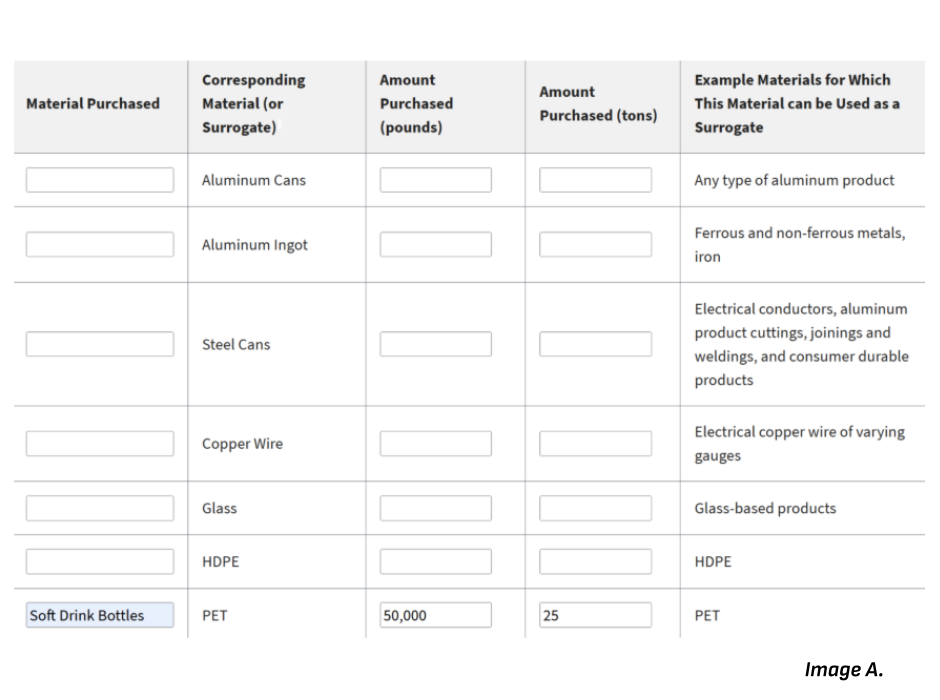
- Fill in the Materials Purchased Category for the corresponding material, in this case PET. The Materials purchased are the actual product, so in this case they would be soft drink bottles.
- Next fill in the amount purchased in pounds, in this case it would be 50,000. (The calculator will automatically convert pounds into tons).
- When you’re done with these steps, the page should look like image A.
Step 2: Baseline and Alternate Recycled Content:
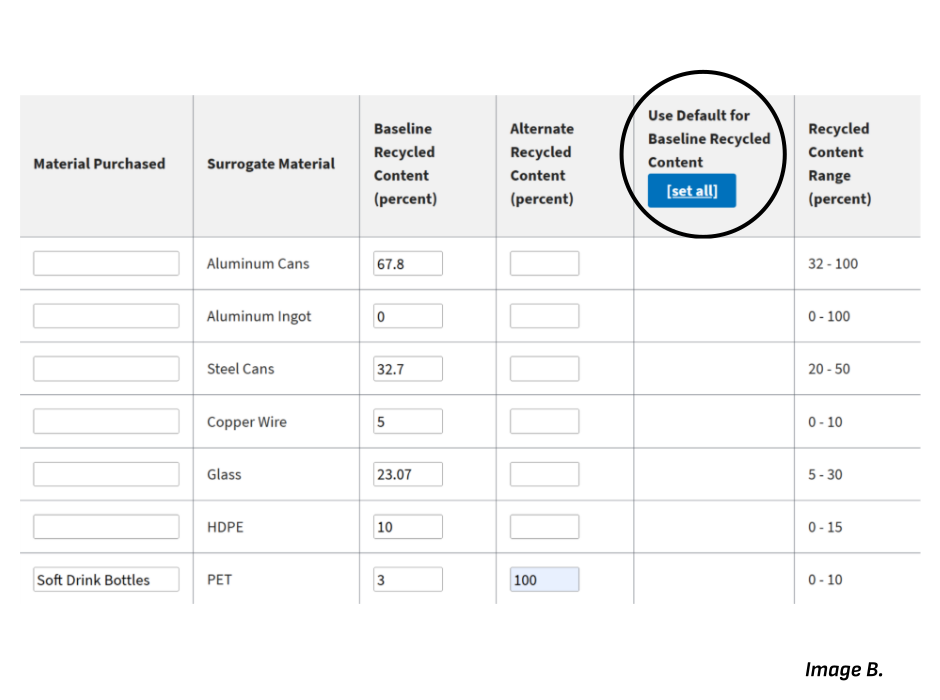
- Scroll down to the second table on the webpage labeled Step 2, Baseline and Alternate Recycled Content. You should see that the materials purchased category will already be filled out by your product, in this case soft drink bottles.
- Fill in the baseline recycled content of your original product. In our example this would be the recycled content of the soft drink bottles that Coca Cola would normally use.
- If this information isn’t available, you can select [set all] (circled in Image B.) in the category labeled Use Default for Baseline Recycled Content. This feature will give a baseline of the recycled content typically used for each material.
- Fill in the percent of recycled content for your purchase, in this case we’re purchasing bottles that are made from 100% recycled content so we would put 100 for this category.
- When you're done with these steps the page should look like Image B.
Step 3: Results:
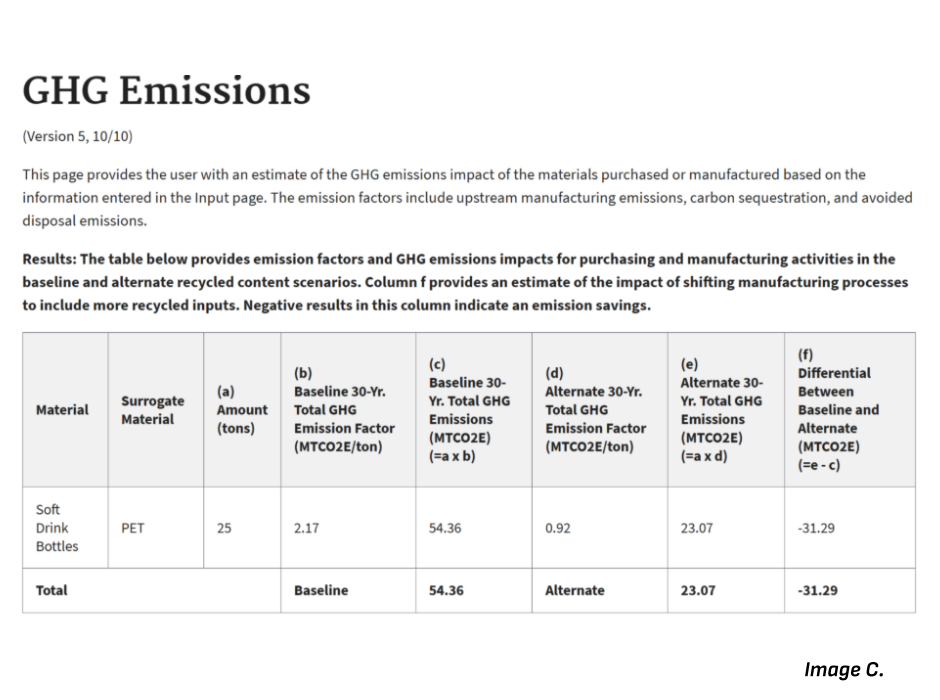
- Scroll down and select “View GHG Output”, you should see a pop-up that looks like Image C.
- These results show the Carbon Dioxide in Metric Tons that can be saved by switching production to this new product.
Step 4: Calculating GHG Equivalencies:
- Open the
GHG Equivalencies Calculator and select emissions data.
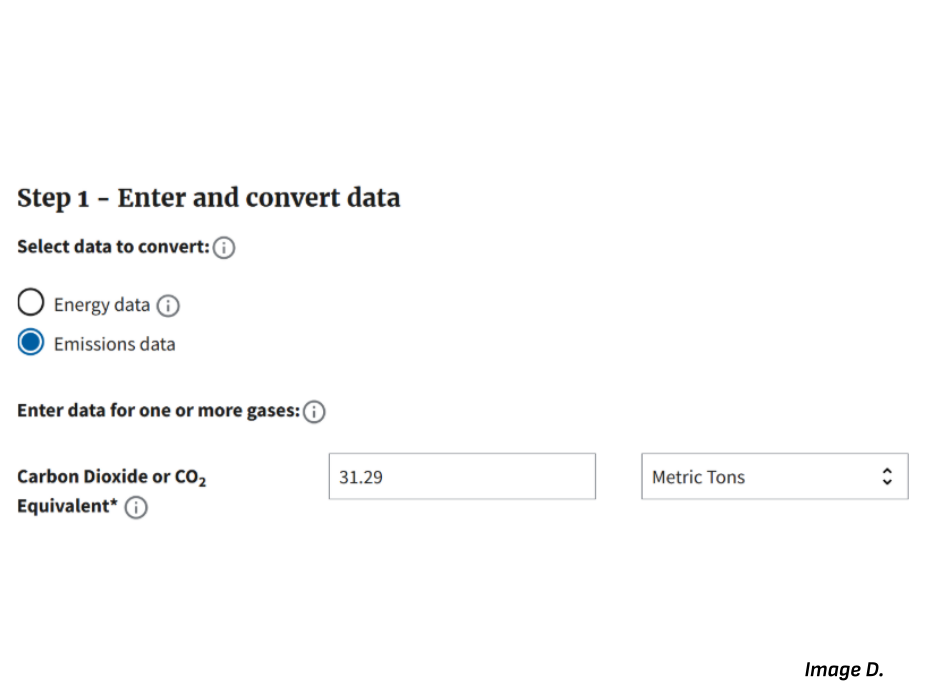
- Next to Carbon Dioxide or CO2 Equivalent fill out the empty space with your results from (f) in step 3, in this case 31.29. (Make sure that you make the number positive).
- When you’re done with these steps the page should look like Image D.
Step 5: Viewing GHG Equivalencies:
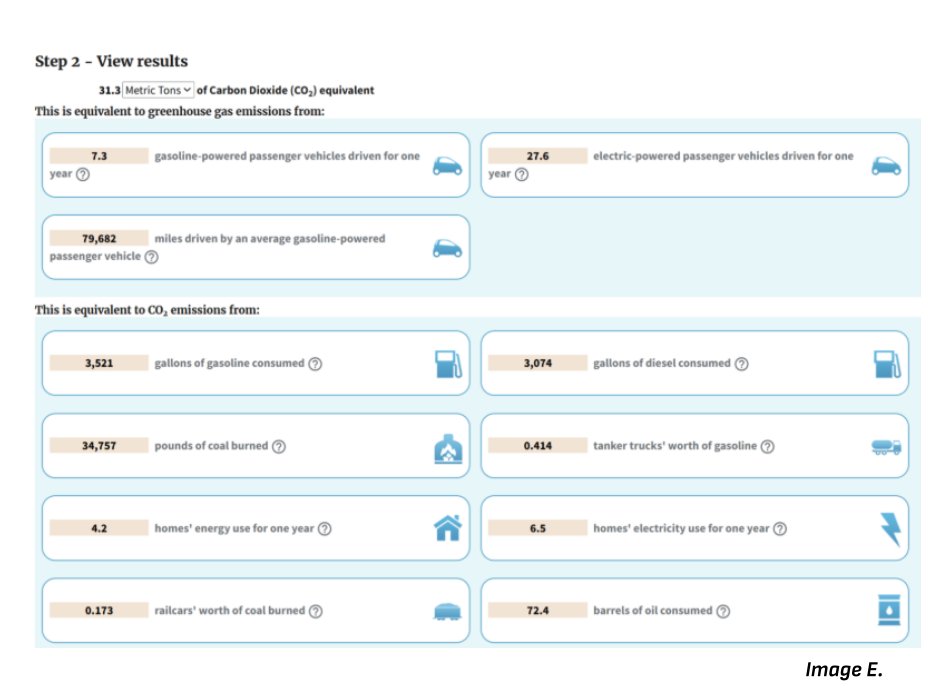
- Scroll down and select convert data. This will convert the amount of metric tons of CO2 you provided into a variety of equivalencies.
- When you’re done with this step the page should look like Image E.